Delete My Data and Account
← Back to GameYou can request the deletion of your account and all associated gameplay data at any time. This process is fully automated and can be done directly from within the Smash Dice application.
Steps to follow:
- Open the Smash Dice game on your device.
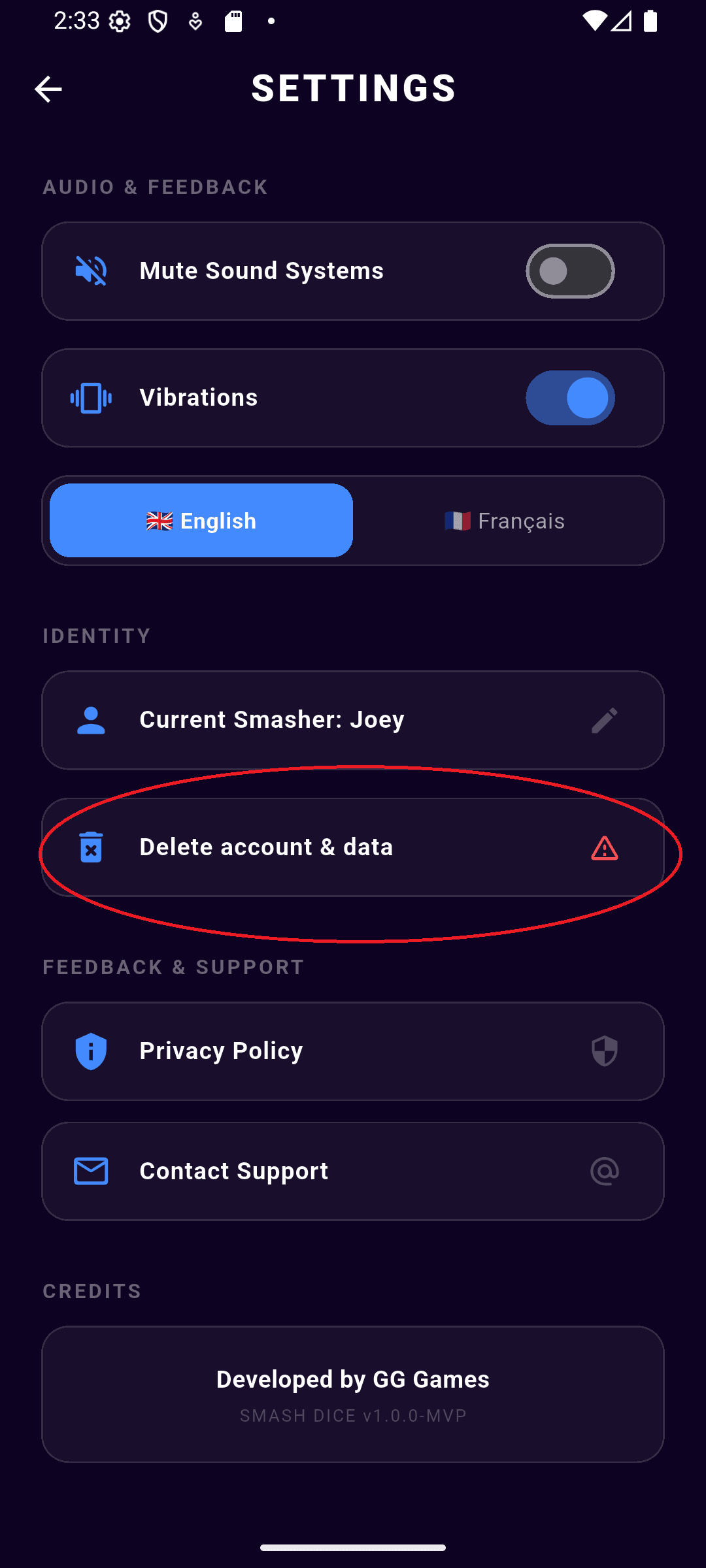
- Navigate to the Settings screen (gear icon on the main menu).
- Tap on the "Delete account & data" button.
- Confirm your action. Your username, play history, and scores will be immediately and permanently deleted from the leaderboard.
Warning:
This action is irreversible. Once deleted, your username and scores in the Hall of Fame cannot be recovered.
In-game view: